
RIG Riot Controls
Tutorial movement, HUD readouts, garage keys, remaps, and full controller support for Sage Boatman’s mech raids.
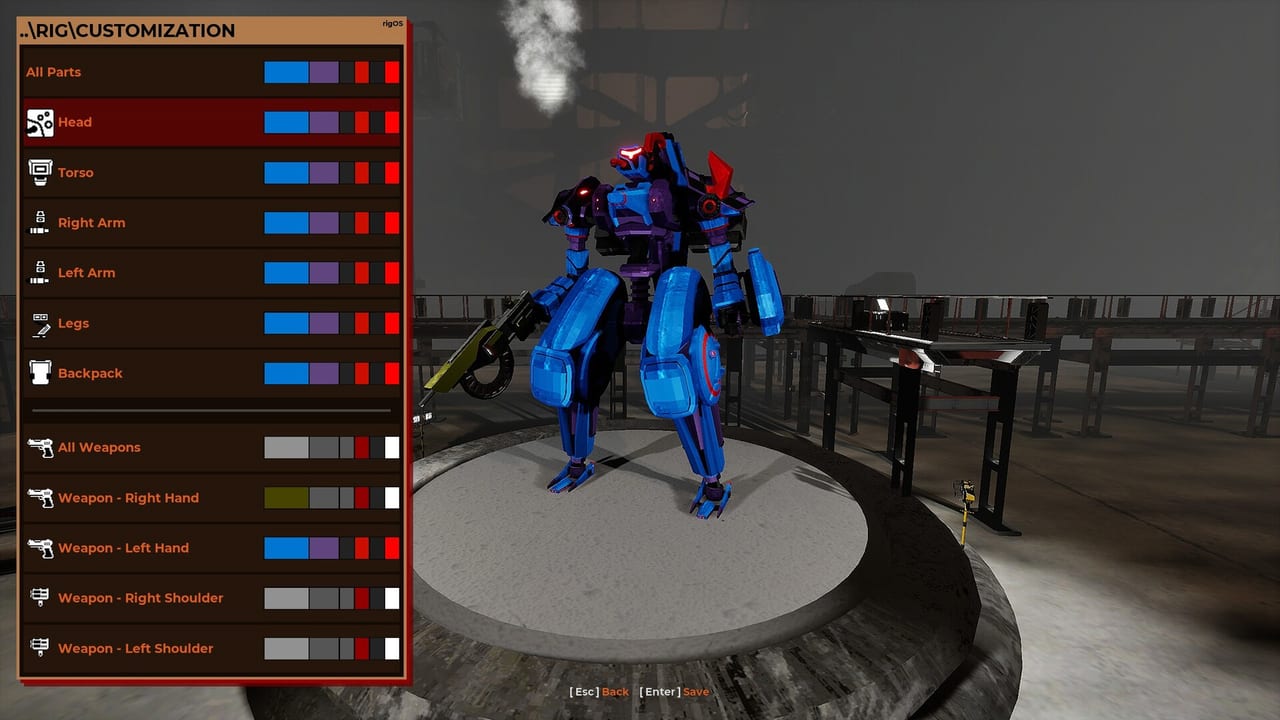
RIG Riot is a raid you fly, not a cover shooter you lean in. Controls are configurable. Steam lists a September 14, 2026 launch window. A demo can be downloaded on Steam and itch.io, and the tutorial pop-ups are the honest input list. Full controller support is a store flag. Keyboard and mouse still work. When a controller is detected, the mouse cursor auto-moves to the top-left — that is a real quirk, not a bug you need to “fix” before you raid. There is a setting to fire semi-automatic guns as if they were automatic. Learn the HUD before you blame the weapon tier list.
Pair this page with system requirements and Steam Deck. Movement theory sits in how to play. First hour: getting started.
Tutorial inputs you must actually land
The tutorial teaches a short list. It is not flavor text:
- Look around. Camera first. Camera comfort is an accessibility flag for a reason.
- Boosters on/off for horizontal speed. BST ON is a toggle, not a hold you forget. On means you move; on also taxes EN recharge. Off means you walk and refill.
- Jump. The basic hop.
- Jump near a wall without movement for extra height. Still wall jump. Use it when you need altitude without a kick.
- Jump with movement to kick off a wall. This is the kick. Direction matters.
- Hold jump in the air for a flight boost. This is the EN sink that makes biped aerial real.
If you skip step 2, every later step feels random. If you skip step 6, Watcher hover and biped sniper lanes on RIG Riot builds will feel broken when they are just unpiloted. Quad-leg ground still uses dash and boosters; it just wants the floor more than the hold.
Controller is fully supported. Bind what your hands already know, then leave it. Do not remap mid-raid because a shotgun lane from the weapon list missed. The semi-auto-as-auto setting exists for pilots who hate tap fire on a pad. Use it if your rifle lane is a semi and your finger is the bottleneck.
HUD: HP, EN, SPD, BST ON, LS/RS/LH/RH
The HUD is the second control scheme. If you cannot read it, you cannot fly:
- HP — hull. Scrapper repair pickups feed this. Defense Volatile Mods delay the moment it hits zero. See Volatile Mods.
- EN — energy. Boosters, dashes, turbo, flight boost, hover, kicks. Generators refill it. Empty EN is also a documented zap trigger for energy-type mods.
- SPD — speed. Scout shells and Watcher’s doubled horizontal boost live here.
- BST ON — boosters are actually on. If this is off and you think you are flying, you are walking.
- LS / RS / LH / RH — left shoulder, right shoulder, left hand, right hand ammo. Four guns means four counters. Void Slot exists so you can refuse a counter you cannot fund.
Photosensitivity warning exists because raids flash. HUD opacity slider exists because the same HUD can hide an objective beacon. If you cannot see raids and objectives, lower opacity before you lower difficulty. Adjustable difficulty and playable without timed input are store accessibility flags: this game does not ask for a QTE, it asks for boost timing you chose.
Garage keys seen in the UI
The garage is a different keyboard. Keys seen in the UI:
- Esc — back
- Enter — save
- Q / E — cycle parts
- F — sort
- R — show only RIG stats
- Middle mouse — toggle stat explanations
Save before you leave. Q/E is how you mix Scout, Scrapper, Bulwark, Assassin, and Watcher components. F is how you stop staring at a junk pile. R is how you check weight, load, and capacity without the cosmetic noise. Middle mouse is how you learn what a stat actually does — use it once per new inner part (boosters, TAS, generators). Full mixing notes: garage customization. Farm: how to get parts.
Controller in the garage: font scaling was adjusted in a public pass so pad users can see their stats. If a number is cut off, that is a UI scale problem, not a missing part. Text scale on Deck is a Steam Deck issue. A sniper lane that cannot look and boost is C. A Quad shotgun that never toggles BST is C. Energy Blade is a swing (and a hold almost nobody uses). If your finger cannot swap LS/LH, do not carry four guns. Spec still matters — confirm system requirements before you blame binds. Timing: launch, demo. Official channels: links. Guides hub: guides.
Next steps for a twenty-minute input drill
Stay in the tutorial space until all six tutorial lines are boring: look, BST toggle, jump, still wall height, moving wall kick, held flight boost. Then open the garage and hit Esc, Enter, Q/E, F, R, and middle mouse once each so the muscle memory exists before a real part drop. After that, confirm the Windows min spec on system requirements if you have not, or run the handheld checklist on Steam Deck if that is the machine. Controls are the difference between an S lane and a RIG that only looks expensive.
Frequently Asked Questions
Quick answers to the most common RIG Riot questions.
Are controls remappable?
Yes. Controls are configurable. Full controller support is listed on Steam. Keyboard and mouse still work.
What does the tutorial actually teach?
Look around; boosters on/off for horizontal speed; jump; jump near a wall without movement for extra height; jump with movement to kick off a wall; hold jump in the air for flight boost.
What do HP, EN, SPD, and BST ON mean?
Hull, energy, speed, and whether boosters are on. Ammo is LS/RS/LH/RH for the four mounts. Pair with how to play.
Why did my mouse jump to the corner?
When a controller is detected, the mouse auto-moves to the top-left. Use the pad or unplug it if you want the cursor back.
What are the garage keys?
Esc back, Enter save, Q/E cycle parts, F sort, R show only RIG stats, middle mouse toggle stat explanations. See garage customization.
Is there a semi-auto helper?
Yes. A setting lets you fire semi-automatic guns as if they were automatic. Useful on a pad rifle lane.